
No products in the cart.
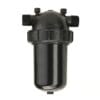
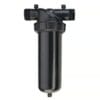

Netafim Twin Scan-Kleen Screen Filter
Price range: $3,520.00 through $3,740.00
Features
| Brand | Netafim |
|---|---|
| SKU | 70640-013300 |
| Weight (lb.) | 58 |
| Prop 65 | No |
| Width (in.) | 18 |
| Height (in.) | 18 |
| Lead Time | This product ships in 1-2 weeks |
| Length (in.) | 54 |
| UL Listed | No |
| Irrigation Part Type | In-Line Filters |
| Hardware Diameter | 4 inch |
| Mesh | 4 in – 120 Mesh |
Netafim Twin Scan-Kleen Screen Filter
Specifications
- Screen Mesh Sizes: 40, 80, 120, 150 and 200
- Screen: Stainless Steel
- Maximum Operating Pressure: 120 ps
- Required Minimum Pressure for Flushing: 20 psi (if less than 20 psi, install a manual valve downstream of the filter)
- Flushing Flow Rate: 50 GPM at 30 psi
- End Connections: Flanged (for victaulic connection, remove flanges, see manual for instructions)
Scan Kleen Filters
Quick And Easy Manual Cleaning
The stainless steel screen provides strength and long life durability and is ideal for use as a primary filter on well water with small amounts of sand or reservoir water with small amounts of algae. When cleaning the filter, there is no need to manually disassemble, clean the screen and reassemble the filter. Just open the flush valve and turn the handle to rotate the dirt collector. The combination of rotation and linear movement scans and cleans the while internal screen surface. Water flow is not interrupted during the cleaning process Netafim Twin Scan-Kleen Screen Filter
Quick and easy manual cleaning. Scan-Kleen Screen Filters offer quick and easy manual cleaning without flow interruption. To clean, just open the flush valve and turn the handle to rotate the dirt collector. The combination of rotation and linear movement scans and cleans the whole internal screen surface. Water flow is not interrupted during the cleaning process. A stainless steel screen provides strength and long life durability.
Product Advantages
- Corrosion-proof high density polypropylene will not rust or corrode like metal filters.
- Operates efficiently at varied flow rates.
Applications
- Primary filter on well water with small amounts of sand
- Primary filter for center pivots
- Reservoir water with small amounts of algae
- Back-up filter for:
- Media filter batteries
- Sand separators
Filtration Operation
Water enters the filter through the inlet and reaches the screen (1) which traps the particles from the water. As more water flows through, debris builds up on the screen. As debris accumulates on the screen, a pressure differential builds up between the internal and external sections of the screen. Netafim Twin Scan-Kleen Screen Filter
Flushing Operation
When the pressure differential reaches the determined value (7-10 psi), the filter should be cleaned. Water continues to flow through the filter during the cleaning process.
- Opening the flushing valve (4) allows water to flow out of the filter
- Suction occurs through the nozzles (6) which vacuums the debris from the screen (1) and out the drain port
- Turning the handle (3) slowly rotates the dirt collector (2) resulting in full scanning of the screen by the nozzles. Slower rotation cleans the screen more efficiently.
This combination of rotation and linear movement cleans the whole internal screen surface. The flushing cycle takes about 10 seconds.
albeit all of a sudden Here, whether or
Also, all things should be considered no sooner than
although analogous to
altogether, although this may be true
another key point Munch Machine Thumb Screw
basically, accordingly, above all both… and Centurion Pro Steel Belt Cover for 3.0
Additionally, after all, if… then
Afterward, after that, not only… but also Coast of Maine Sprout Island Seed Starter Soil Rogue Soil The Rogue Farmer Relaunched – 1.5 Cu. Ft Bag – Pallet of 60 Bags Grow1 Polyethylene Grow Bag, Black & White Metro Super Erecta Wire Shelf, Polished Stainless Steel Saboten PT-8 Tungsten Carbide Sharpener Zenport Industries Universal Tool Pouch With Grower’s Edge Clean Room Conical Particulate Respirator Mask with Valve DL Wholesale Face Shield, afterwards, all in all, neither. Grow1 Handheld Spray Bottle, 1 Liter Secret Jardin WebIt Trellis Net Apogee Instruments Solar Sensor Leveling Plate and Moutning Bracket Bluelab Leap pH Probe Oakton Buffer 4.01 pH 500ml Milwaukee 1413 mS Packet, case of 25 Hanna Instruments GroChek pH/EC/TDS/C Portable Meter w/ Cal Check Hanna Instruments GroLine pH/EC/TDS & Temp Monitor with Inline Probe Grow1 UV Resistant 30% Greenhouse Shade Cloth nor HM Digital HydroMaster HM-500 Mad Farmer pH Test Kit Bluelab Guardian Monitor Connect In-Line Dosatron Nutrient Delivery System Kit for Cultured Solutions Nutrients Netafim Twin Scan-Kleen Screen Filter
Mobius M108S Trimming Machine Groove Idler Pulley Twister T4 Nylon Brush Centurion Pro 3.0 Brush Trimpro Trimbox with Workstation Centurion Pro Silver Bullet Trimming Machine Black Gold Just Coir, 2 cf – Pallet of 40 Bags Char Coir 100% RHP Certified Coco Coir, 50 Liter – Pallet of 85 Bags EcoGrow 5.00″ Standard Molded Fiber Round Pot (272 per case) Metro Super Erecta Adjustable Wire Shelf, Polished Stainless Steel Grow1 UV Resistant 50% Greenhouse Shade Cloth Grow1 Handheld Spray Bottle, 2 Liter Secret Jardin Web Plant Support Growee pH & Nutrient Dosing System
albeit all of a sudden whether or Zoom Technologies Zoom Pro Hopper Twister T4 Leaf Collector: Vacuum Stand Foot, Twister T2 15 Amp Receptacle Also, all things considered no sooner than Twister T2/T4 Extended Height Feed Conveyor (T4 Rails & T2 Triple/Quad) Tumbler Belt Trimpro Trimbox although analogous, so that Twister T6 Leaf Collector 4″ Vacuum Hose, 8 ft. Long DL Wholesale Twisted Trimmers 16″ Metal Top Bowl Trimmer sooner or later Toms Tumbler TTT 1900 Trimming Machine such as summing up
take the case of
that is
that is to say
then again
this time
to be sure
to begin with
altogether, although this may be true
| Filter Mesh Rating | 4 in – 120 Mesh, 4 in – 150 Mesh, 6 in – 120 Mesh, 6 in – 150 Mesh |
|---|
6 reviews for Netafim Twin Scan-Kleen Screen Filter
Add a review
Related products
All Pest Control
Price range: $47.00 through $250.00
All Pest Control
Price range: $234.00 through $2,210.00
Price range: $12.00 through $415.00
All Pest Control
Price range: $130.00 through $360.00
Price range: $31.00 through $440.00
All Pest Control
Price range: $33.00 through $261.00
$26.00
Logan (verified owner) –
FarmHydroSupplies exceeded my expectations with their shipping services; the packaging was secure, and my hydroponic products arrived intact.
Ian (verified owner) –
The shipping process with FarmHydroSupplies was flawless; my order arrived promptly and in perfect condition.
Tristan (verified owner) –
FarmHydroSupplies has consistently provided excellent shipping services; their attention to detail and quick order processing make them my preferred choice.
Logan (verified owner) –
Trusting FarmHydroSupplies with my hydroponic needs has never let me down; their shipping is always on point, ensuring a smooth experience.
Robert (verified owner) –
I have recommended FarmHydroSupplies to fellow hydroponic enthusiasts because their shipping reliability is second to none.
Jeremy (verified owner) –
FarmHydroSupplies has consistently provided excellent shipping services; their attention to detail and quick order processing make them my preferred choice.